
Landscape job management software is the system growing landscaping and outdoor service companies use to run leads, estimates, scheduling, crew work, invoicing, and job costing from one connected platform instead of spreadsheets, paper tickets, and disconnected apps. For a landscape contractor managing dozens of recurring properties, that single source of truth usually makes the difference between a profitable season and a chaotic one. This guide walks through what the software actually does, which features matter most, and how to choose a platform that fits how landscaping companies really make money.

A crew leader checking the day's route in landscape job management software before starting work.
What Is Landscape Job Management Software?
Landscape job management software is a cloud-based platform built specifically for landscaping, lawn care, hardscaping, irrigation, pest control, and similar outdoor service companies to manage the full life of a job. In short, it replaces separate spreadsheets, paper tickets, and generic field service tools with one system that follows a job from first contact to final payment.
Unlike general-purpose field service software, this category of tool is shaped around how landscaping businesses actually operate: recurring maintenance routes, seasonal crews, material usage, and property-specific site history. As a result, the workflows feel natural to crews and office staff instead of forced into a generic template built for plumbers or electricians.
Why Growing Landscaping Companies Need Job Management Software
Many landscaping companies start out running the business on a mix of spreadsheets, text messages, and sticky notes. That approach works for a handful of crews, but it breaks down quickly as the customer list grows. In particular, recurring maintenance routes become harder to track, estimates get lost in email threads, and nobody has a clear picture of which jobs are actually profitable.
According to the U.S. Bureau of Labor Statistics, employment in grounds maintenance occupations is projected to keep growing through the decade, which means more competition for skilled crews and tighter margins industry-wide. As labor costs rise, software-driven scheduling and job costing become less of a luxury and more of a survival tool. Consequently, companies that adopt landscaping-specific software earlier tend to scale routes and crews without the growing pains that come from manual tracking.
Groups such as the National Association of Landscape Professionals have also pointed to technology adoption as a key factor separating growing companies from stagnant ones. Therefore, the question for most owners is not whether to adopt job management software, but which platform fits their specific trade.
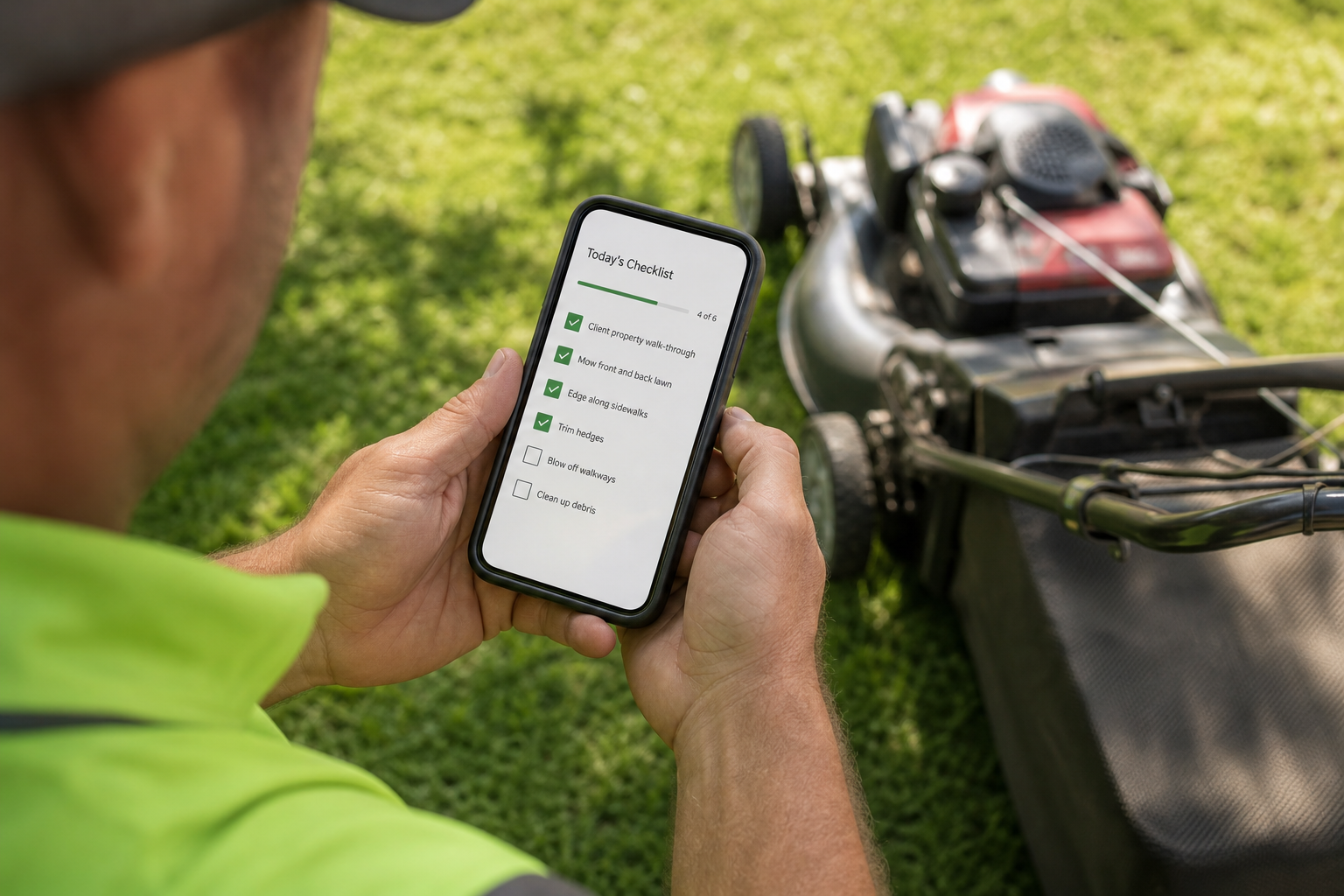
A field technician logging a work ticket through the mobile side of a landscape job management platform.
Key Features of Landscape Job Management Software
Not every platform covers the same ground. Below are the core modules that separate a complete landscaping management system from a basic scheduling app.
CRM and Customer or Property Management
A built-in landscape CRM keeps leads, contacts, site photos, and communication history tied to each property. This matters because landscaping jobs are rarely one-time transactions; they repeat across seasons, so property history drives faster, more accurate estimates later.
Estimating and Proposals
Reusable templates and branded proposals with digital signature capture shorten the sales cycle significantly. For example, a sales rep can send a professional proposal from a driveway and get it signed before leaving the property, instead of following up days later by email.
Scheduling, Routing, and Crew Dispatch
Drag-and-drop scheduling with GPS-enabled maps helps dispatchers build efficient routes and handle recurring work without manual re-entry each week. Specialty services like irrigation and lighting jobs often need separate scheduling logic from mowing routes, so flexible routing rules matter.
Field Operations Mobile App
Crews use a mobile app to complete work tickets, checklists, photos, and time tracking directly from the property. In turn, this eliminates the end-of-day paperwork pile and gives office staff real-time visibility into job progress.
Invoicing, Billing, and Job Costing
Automated and batch invoicing with online payment options speeds up collections, while job costing software compares budgeted versus actual labor, material, and equipment costs in real time. This is where many companies finally see which services are genuinely profitable, a concept rooted in standard job costing accounting practice applied to field service work.
How to Choose Landscape Job Costing Software
Choosing the right platform takes a structured process rather than a quick demo. The following steps outline a practical evaluation path.
- Map your current workflow. Write down every step a job takes today, from the first lead call through the final invoice, noting where delays or duplicate data entry occur.
- List must-have features for your trade. Rank modules like route-based scheduling, digital work tickets, job costing, or accounting sync by the time or revenue they would save.
- Test the field experience. Have a crew leader try the mobile app during a trial, since adoption often fails when the app feels slow or confusing on-site.
- Confirm onboarding and data migration support. Ask how existing customers, jobs, and pricing move into the new system, and request a written training timeline.
- Review pricing against time savings. Compare the monthly cost to hours saved weekly on invoicing, dispatch, and reporting before signing a contract.
How True Pro Supports Landscape Job Management
True Pro was built by a landscape contractor for landscape contractors, which shapes how its features follow the way landscaping businesses actually earn money rather than bending a generic tool to fit. The platform covers CRM, estimating with True Pro Signature, scheduling, field tickets, invoicing with True Pay, job costing, and QuickBooks integration in one connected system.
Specifically, founder and CEO Brandon Conroy owned and ran landscape companies before building True Pro, so the workflow decisions reflect lessons learned running real crews and real routes. Readers can visit the True Pro homepage or explore truepro.com directly to see how the pieces connect for growing outdoor service companies.
Common Mistakes When Managing Landscaping Jobs
Even with good intentions, many landscaping companies repeat a few avoidable mistakes when adopting new software.
- Choosing a generic field service tool instead of landscaping-specific software, then fighting the workflow all season.
- Skipping job costing entirely, so underpriced services go unnoticed until cash flow tightens.
- Rolling out new software mid-peak-season instead of during the slower off-season window.
- Ignoring crew input during the trial, which leads to low mobile app adoption later.

Reviewing profitability reports is easier once landscape job management software centralizes job data.
Frequently Asked Questions About Landscape Job Management Software
What is landscape job management software?
Landscape job management software is a platform that helps landscaping companies manage leads, estimates, scheduling, crew work, invoicing, and job profitability in one connected system instead of spreadsheets or paper.
How much does landscape job management software cost?
Pricing usually depends on the number of users and features needed, with monthly subscriptions charged per seat or per crew. Costs commonly range from under one hundred dollars a month for small teams to several hundred dollars for larger operations with add-ons like GPS routing.
How long does it take to implement landscaping job software?
Basic setup, including importing customers and jobs, typically takes two to six weeks. Full adoption across estimating, scheduling, and invoicing often takes a full season as habits build.
What is the difference between landscape job management software and generic field service software?
Generic field service software serves many industries at once, so it often misses landscaping-specific needs like recurring routes or material usage. Landscape-specific software builds these workflows in from the start.
Can landscape job management software replace QuickBooks?
Most platforms do not fully replace QuickBooks; instead, they sync invoices and payments into the general ledger automatically. Job-level detail stays in the operations software while financial reporting remains in accounting software.
Why do landscaping companies lose money without job costing software?
Without job costing, labor and material costs rarely get tracked against the original estimate, so underpriced jobs go unnoticed. Job costing software flags budget overruns while the job is still active.
What features matter most in landscape estimating software?
Reusable templates, branded proposals, and digital signature capture matter most, since they shorten the sales cycle. Look for software that converts estimates directly into scheduled jobs without re-entering data.
Is crew scheduling software worth it for a small landscaping company?
Yes, even small teams benefit from drag-and-drop scheduling because it reduces double-booked crews and missed recurring visits. Manual scheduling becomes a common source of lost revenue as the customer list grows.
What is the most common mistake when choosing landscape job management software?
The most common mistake is choosing a tool built for a different industry and trying to force landscaping workflows into it. This usually leads to workarounds and low crew adoption.
Does landscape job management software work on mobile devices in the field?
Reputable platforms include a mobile app for crews to log work tickets, photos, checklists, and time directly from the property. This removes end-of-day paperwork and keeps office staff updated in real time.
How does landscape job management software help with profitability?
It connects estimated costs to actual labor, material, and time data so managers see real-time profit and loss per job. That visibility helps catch underpriced services before margins slip further.
Can landscape job management software handle recurring maintenance routes?
Yes, most landscaping platforms support recurring visit scheduling and route optimization for mowing, irrigation checks, and seasonal maintenance. This keeps routes efficient as the customer base grows across neighborhoods.
Final Thoughts
In the end, landscape job management software gives growing outdoor service companies a single place to run leads, estimates, scheduling, crew work, invoicing, and profitability reporting instead of juggling spreadsheets and disconnected apps. As labor costs rise and customer lists grow, that centralized visibility becomes less optional and more essential for staying profitable. For companies evaluating options, resources like True Pro offer a useful reference point for what a landscaping-specific platform should actually include.