
Landscape accounting software is the financial backbone that growing lawn care, hardscaping, irrigation, and outdoor service companies use to track job costs, send invoices, and understand true profit on every property. Unlike generic bookkeeping tools, it ties revenue and expenses directly to the labor hours, materials, and routes crews actually run. As a result, owners can see which jobs make money and which ones quietly drain the business long before year-end taxes reveal the problem.
Direct answer: Landscape accounting software combines job costing, invoicing, payroll, and QuickBooks-style general ledger functions into one system built specifically for outdoor service companies. It replaces spreadsheets and disconnected tools so owners see real job profit, not just total revenue.
What Is Landscape Accounting Software?
In short, landscape accounting software is a financial system designed around how outdoor service companies earn money, from the first estimate through the final payment. Specifically, it connects job costing, invoicing, time tracking, and reporting so a bookkeeper and a crew manager are working from the same numbers.
Generic accounting platforms, however, were not built with landscaping in mind. Therefore, most companies end up bolting on spreadsheets to track material usage or crew hours per job, which creates a gap between what the books say and what actually happened in the field. Landscape accounting software closes that gap by capturing field data at the source and feeding it straight into the ledger.

Reviewing job profit reports is faster when landscape accounting software pulls field data automatically.
Why Generic Bookkeeping Tools Fall Short
Most landscaping companies start out using a basic accounting tool, and for a while, it works fine. As the business grows, however, the gaps become expensive. Crew hours get logged on paper, material costs get entered weeks late, and by the time a job report exists, the next bid is already priced using guesswork.
In addition, generic field service software often focuses on scheduling and dispatch without deep financial reporting. Consequently, managers can see where crews are but not whether a specific property is profitable. According to job costing principles, assigning actual costs to individual jobs rather than averaging them across the business is what reveals true profitability, and that level of detail is exactly what standalone bookkeeping tools miss.
Core Features of Landscape Accounting Software
When evaluating landscape accounting software, a handful of features consistently separate purpose-built platforms from generic alternatives. Above all, real-time job costing matters most, since it shows budget versus actual spend while a job is still in progress rather than after the invoice goes out.
Automated invoicing and online payments are equally important for cash flow. Similarly, payroll support that pulls directly from field time tracking reduces manual entry errors. Finally, native QuickBooks integration keeps the general ledger clean without forcing a bookkeeper to re-enter data that already exists in the field app. Readers researching options can review the True Pro platform as one example built specifically around these workflows.
How Job Costing Drives Landscaping Profitability
Job costing assigns labor, materials, equipment time, and overhead to a specific property or contract. As a result, an owner can compare the estimate to the actual spend and spot a problem, such as a crew taking twice as long as budgeted on mulch installation, while there is still time to adjust pricing on the next similar job. For a closer look at how this works in practice, see this breakdown of job costing for landscaping companies.
Without this detail, recurring maintenance contracts in particular can quietly lose money for months. Therefore, many growing companies treat job costing as the single most important feature when choosing landscape accounting software, ahead of even invoicing or scheduling tools.
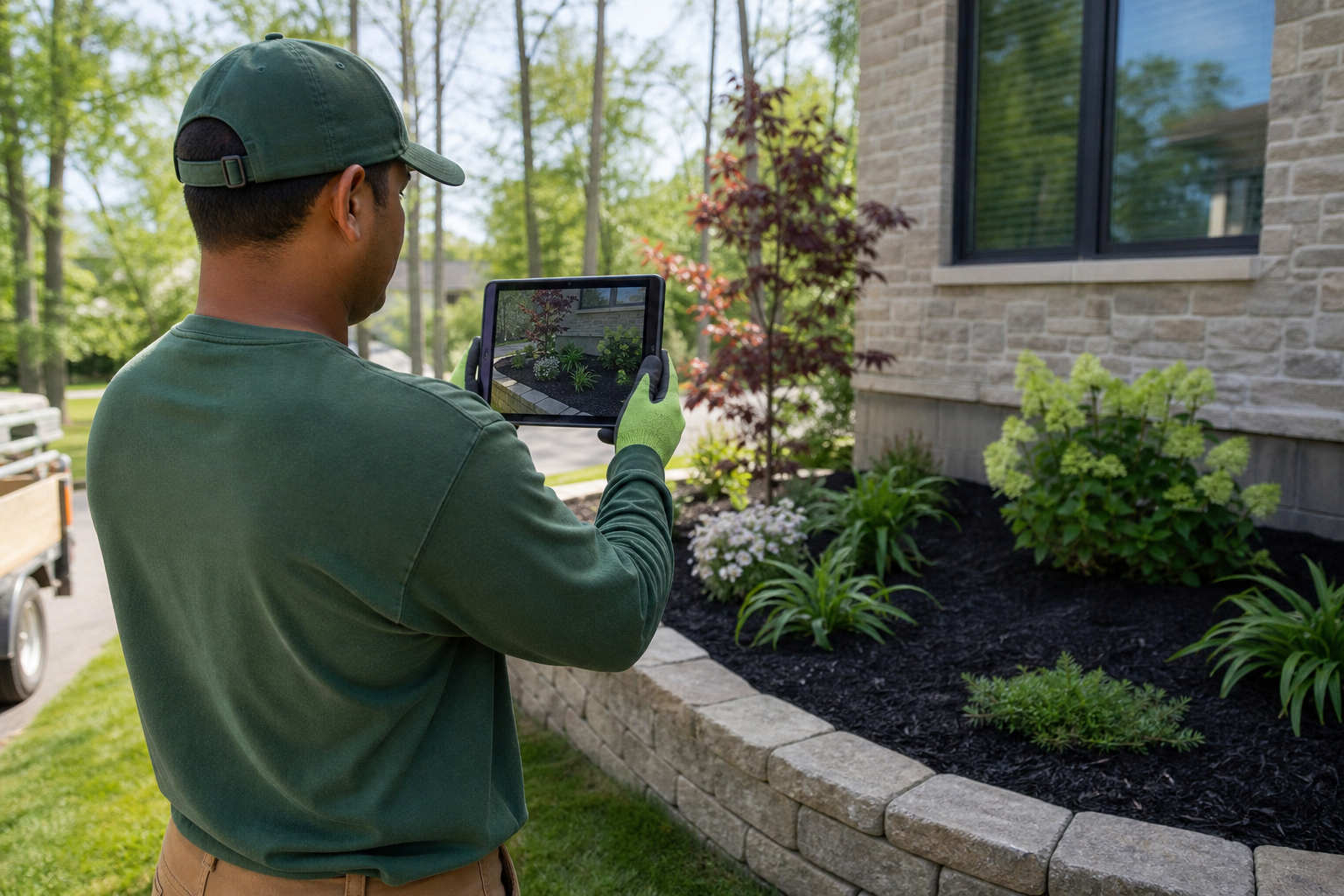
Field data captured on-site feeds directly into landscape accounting software reports.
How to Choose Landscape Accounting Software: A Step-by-Step Process
Choosing the right system takes more than comparing feature lists. Instead, a structured evaluation process helps avoid an expensive switch a year later. The following steps outline a practical approach for growing outdoor service companies.
- Audit your current financial workflow. Map out every place financial data currently lives, including spreadsheets, your existing accounting tool, and any paper timesheets, so you can identify gaps before comparing new platforms.
- List required job costing and reporting features. Write down the specific reports your business needs, such as job-level profit and loss, budget versus actual, and crew labor cost tracking, then use that list to score each vendor.
- Request a demo focused on real job data. Ask vendors to walk through a live estimate-to-invoice workflow using a sample landscaping job, rather than a generic slideshow, so you can see how job costing actually behaves in practice.
- Confirm QuickBooks and GPS integrations. Verify that the software syncs cleanly with your existing accounting platform and any GPS or routing tools you already use, since broken integrations create duplicate manual work.
- Plan onboarding, training, and data migration. Confirm what onboarding support is included, how long historical data migration will take, and who on your team will be trained first before rolling the system out company-wide.
Landscape Accounting Software vs. Generic Field Service Tools
Generic field service platforms often serve plumbers, electricians, and landscapers with the same core workflow. In contrast, landscaping businesses operate on recurring maintenance routes, seasonal labor swings, and irrigation or lighting add-on work that a one-size-fits-all tool rarely models well. Companies managing both design work and ongoing maintenance, for example, often need specialized tracking similar to what is described for irrigation and lighting services.
Furthermore, the U.S. Small Business Administration notes that consistent, accurate financial records are foundational to managing cash flow and planning growth. Landscape-specific accounting software supports that consistency by keeping crew-level data connected to the ledger, rather than relying on manual reconciliation at month-end.
Payroll, Compliance, and Recordkeeping
Payroll adds another layer of complexity for landscaping companies managing seasonal crews, overtime, and multiple pay rates across job types. Landscape accounting software that pulls time data directly from a field app reduces the manual entry that often causes payroll errors.
Accurate recordkeeping also matters for tax compliance. The IRS recordkeeping guidelines recommend retaining detailed records of income, expenses, and payroll, which is far easier when job costs and labor hours are already organized by property inside a single system rather than scattered across spreadsheets and paper logs.
How True Pro Supports Landscaping Business Accounting
True Pro was built by a landscape contractor, specifically to run the whole job in one place, from the first lead through the estimate, proposal, schedule, crew work, invoice, payment, and the profit report at the end. CRM tools inside the platform, detailed on the customer and property management page, keep contact history, site photos, and communications attached to each property.
On the financial side, automated and batch invoicing, online payments through True Pay, and real-time job costing feed into QuickBooks for clean general ledger reporting. Meanwhile, owner-ready dashboards combine sales, operations, and collections data so a company owner does not need to stitch together numbers from three separate systems. Visit the True Pro overview for a fuller look at how these pieces fit together.

Owner-ready dashboards make it easier to review job profitability as a team.
Frequently Asked Questions
What is landscape accounting software?
Landscape accounting software is a financial management system built for lawn care, hardscaping, and outdoor service businesses that links job costs, invoicing, and payroll to each project. It replaces generic bookkeeping spreadsheets with job-level profit tracking.
How does landscape accounting software differ from using QuickBooks alone?
QuickBooks handles general ledger and tax reporting well, but it was not designed to track crew labor, material usage, or route-level job costs. Landscape accounting software captures that field data and syncs it into QuickBooks so the books reflect what actually happened on each property.
How much does landscape accounting software cost?
Pricing typically scales with the number of users, crews, or properties managed, ranging from roughly $100 to $500 or more per month for growing companies. Enterprise plans with advanced integrations and API access usually cost more.
How long does it take to implement landscape accounting software?
Most landscaping companies complete core setup, including chart of accounts and historical data migration, within two to six weeks. Timelines depend on data volume and whether guided onboarding and training are included.
What features should landscaping companies look for in accounting software?
Look for real-time job costing, automated invoicing, payroll support, inventory tracking, and QuickBooks integration. Mobile access for field crews is also essential since most cost data originates on the job site.
Can landscape accounting software integrate with QuickBooks?
Yes, most purpose-built platforms sync chart of accounts, invoices, and payments directly with QuickBooks Online or Desktop. This keeps a single source of truth for the bookkeeper while field data still flows in automatically.
What is job costing in landscape accounting software?
Job costing assigns labor hours, materials, equipment time, and overhead to a specific job or property so owners can see real profit per project. It is the core feature separating landscape accounting software from generic bookkeeping tools.
Why do landscaping companies need job-level profit tracking?
Without job-level data, companies often discover a property is unprofitable months after the contract was signed. Real-time tracking lets managers catch budget overruns on crew hours or materials while there is still time to adjust pricing or scheduling.
What common mistakes do landscaping companies make with accounting?
A frequent mistake is tracking revenue in one system and crew labor or material costs in another spreadsheet, which hides true job profitability. Another common mistake is delaying invoicing after work is complete, which slows cash flow.
How does landscape accounting software help with payroll?
It pulls time tracking data from the field app directly into payroll calculations, reducing manual timesheet entry and errors. Some platforms also support batch processing for multiple crews running different routes.
Is landscape accounting software different from generic field service software?
Generic field service software usually focuses on scheduling and dispatch without deep financial reporting. Landscape accounting software is built around how outdoor service companies actually earn money, connecting estimates, job costs, and profit reports in one workflow.
How do I migrate my data to new landscape accounting software?
Most vendors offer guided data migration that imports customer records, open invoices, and historical job data from your previous system or spreadsheets. Plan for a short overlap period where both systems run in parallel before full cutover.
What reports should landscape accounting software provide?
At minimum, look for real-time profit and loss by job, budget versus actual comparisons, accounts receivable aging, and crew labor cost reports. Owner-ready dashboards that combine sales, operations, and collections data save significant review time.
Final Thoughts
Choosing landscape accounting software ultimately comes down to whether the system reflects how your crews actually earn money in the field. Generic bookkeeping tools can track totals, but they rarely connect labor, materials, and routes to individual job profit the way purpose-built platforms do. As a result, companies that switch to landscape-specific accounting tools typically gain faster invoicing, cleaner payroll, and far clearer visibility into which jobs are worth repeating.
In the end, the right landscape accounting software should feel like an extension of how your business already operates, not a system you have to bend around. Evaluating options against the features and steps outlined above, including a close look at job costing and QuickBooks integration, gives growing landscaping companies a solid foundation for making that decision with confidence.