Digital signature landscaping software is a business tool that lets clients review and sign proposals online instead of on paper. For landscape companies, it shortens the gap between a finished estimate and a scheduled job. This guide explains how it works, what to look for, and how to roll it out.
Quick answer: Digital signature landscaping software sends a branded proposal to the client by link, collects a legally recognized e-signature on any device, and stores the signed copy with the customer and job record. In the U.S., the ESIGN Act and UETA generally support this for most contracts.
What Is Digital Signature Landscaping Software?
It is software built for landscape and outdoor service companies that includes electronic signing as part of the sales process. The signature is not a separate app. Instead, it sits inside estimating, proposals, scheduling, and billing.
That connection matters. When a client signs, the approval can flow straight into the job record. As a result, nobody retypes scope or pricing.
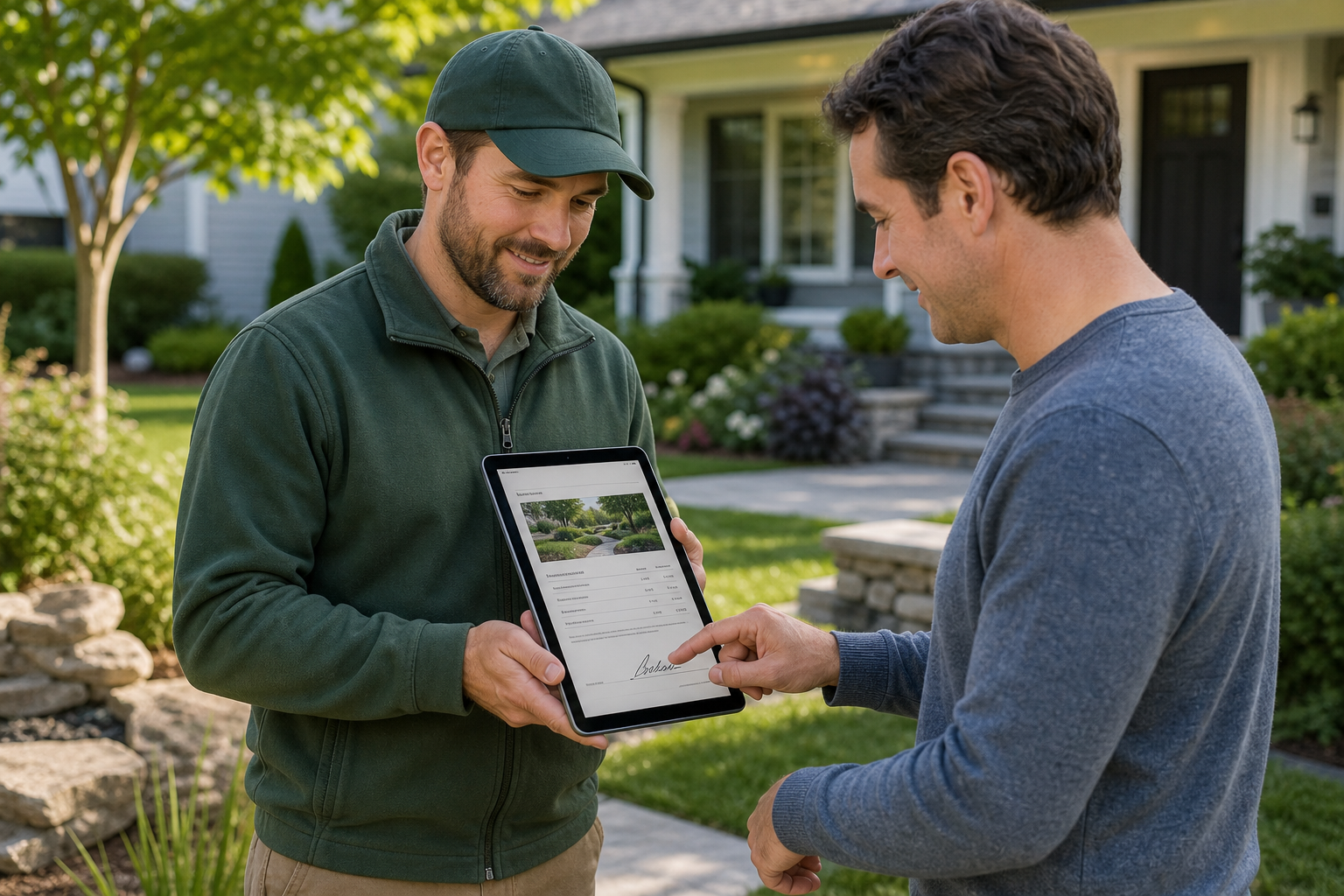
A client signs a proposal on site, the kind of workflow digital signature landscaping software supports.
Why Landscapers Move From Paper to E-Signatures
Paper slows down the sale. Contractors print, drive, mail, scan, and file. Meanwhile, the client may cool off or call another company.
Online signing removes those steps. In addition, it creates a clear record of what the client approved. That record helps when a scope question comes up later.
- Faster approvals, because clients can sign from a phone.
- Fewer lost documents, since files live with the customer record.
- A more professional look through branded proposals.
- Cleaner handoff to scheduling and invoicing.
Are Electronic Signatures Legally Valid?
Generally, yes. The federal ESIGN Act gives electronic signatures the same legal effect as handwritten ones for most commercial contracts. Most states have also adopted the Uniform Electronic Transactions Act. Some document types have exceptions, so confirm your state's rules with an attorney. For background, see this overview of the electronic signature.
You can also read how digital signatures work in landscaping proposals for a closer look at the client experience.
How to Send a Proposal for Digital Signature
The process is short once your templates are set up. Follow these steps.
- Build the estimate. Start from a reusable template and confirm scope, materials, labor, and pricing.
- Create a branded proposal. Add your logo, photos, scope notes, and payment terms. See how to create branded, professional proposals.
- Send the signing link. Use email, text, or a tablet on the property.
- Let the client sign. They review and sign on any device. You get a notification.
- Move the job forward. Schedule the crew and prepare invoicing from the approved proposal.
What to Look for in E-Signature Software for Landscapers
Not every tool fits a landscape business. Therefore, judge options on a few practical points.
| Feature | Why it matters |
|---|---|
| Branded proposals | Builds trust and sets you apart from competitors. |
| Reusable templates | Saves time on repeat services. |
| Mobile signing | Lets clients approve on site or from home. |
| Record keeping | Stores signed copies with the customer and property. |
| Connected workflow | Feeds scheduling, invoicing, and job costing. |

Signed proposals stay organized with the customer record for easy review.
How True Pro Handles Digital Signing
True Pro is business management software for landscaping and outdoor service companies. Its estimating and proposals tools include branded proposals and True Pro Signature for digital signing. After approval, the same platform handles scheduling, crew dispatch, invoicing, and job costing.
The platform was built by a landscape contractor, so the flow follows how landscape companies make money. To learn more, read what True Pro landscaping software is. Also see how automated workflow notifications keep follow-ups moving after a proposal goes out.
Common Mistakes When Adopting E-Signatures
- Sending vague scopes that invite disputes later.
- Leaving out payment terms or change-order language.
- Using a standalone signing tool that does not connect to jobs.
- Skipping a test run before sending to real clients.
Crew adoption matters too. Consider which landscaping software is easiest for field crews so the signed job is carried out smoothly.
Frequently Asked Questions
What is digital signature landscaping software?
It is business software that lets landscape clients review and sign proposals or contracts online. The signed document is stored with the customer and job record.
Are digital signatures legally binding for landscaping contracts?
In the United States, the ESIGN Act and UETA generally give electronic signatures the same legal weight as handwritten ones. Confirm requirements for your state and contract type with an attorney.
How does a client sign a landscaping proposal online?
The client opens a link sent by email or text, reviews the proposal, and signs on a phone, tablet, or computer. No printing or app download is needed.
Does a client need an account to sign?
Typically no. Most tools use a secure link, so the client can sign without creating a login.
How is e-signature different from a digital signature?
An e-signature is any electronic mark showing intent to sign. A digital signature uses cryptography to verify identity and detect changes. Many landscaping tools use the term loosely for e-signing.
Can I sign proposals on site with a tablet?
Yes. Open the proposal on a mobile device and hand it to the client, or send the link while you are still on the property.
What should I look for in digital signature landscaping software?
Look for branded proposals, reusable templates, mobile signing, audit trails, and a link to scheduling and invoicing. Integration is what removes re-entry.
How much faster is digital signing than paper?
No universal figure exists. The gain comes from removing printing, mailing, and scanning, so approvals often arrive the same day instead of waiting on paperwork.
Can a signed proposal create a job automatically?
In connected platforms, an approved proposal can move into scheduling and invoicing without retyping. Check how your software handles that handoff.
What are common mistakes when adopting e-signatures?
Common mistakes include vague scopes, missing payment terms, and using a standalone signing tool that does not connect to the job record.
Does True Pro include digital signatures?
Yes. True Pro includes True Pro Signature for digital signing of branded proposals inside its landscape management platform.
How do I get started with e-signing proposals?
Build a proposal template, send a test to yourself, and then roll it out to new estimates. Guided onboarding can help with setup.
Conclusion
Digital signature landscaping software helps you close work faster, look more professional, and keep clean records. The best results come when signing connects to estimating, scheduling, and invoicing rather than sitting on its own. Start with a solid template, test it, and choose a platform that carries the approval through to the final invoice.